Patentir Filings
Follow every application all the way to registration
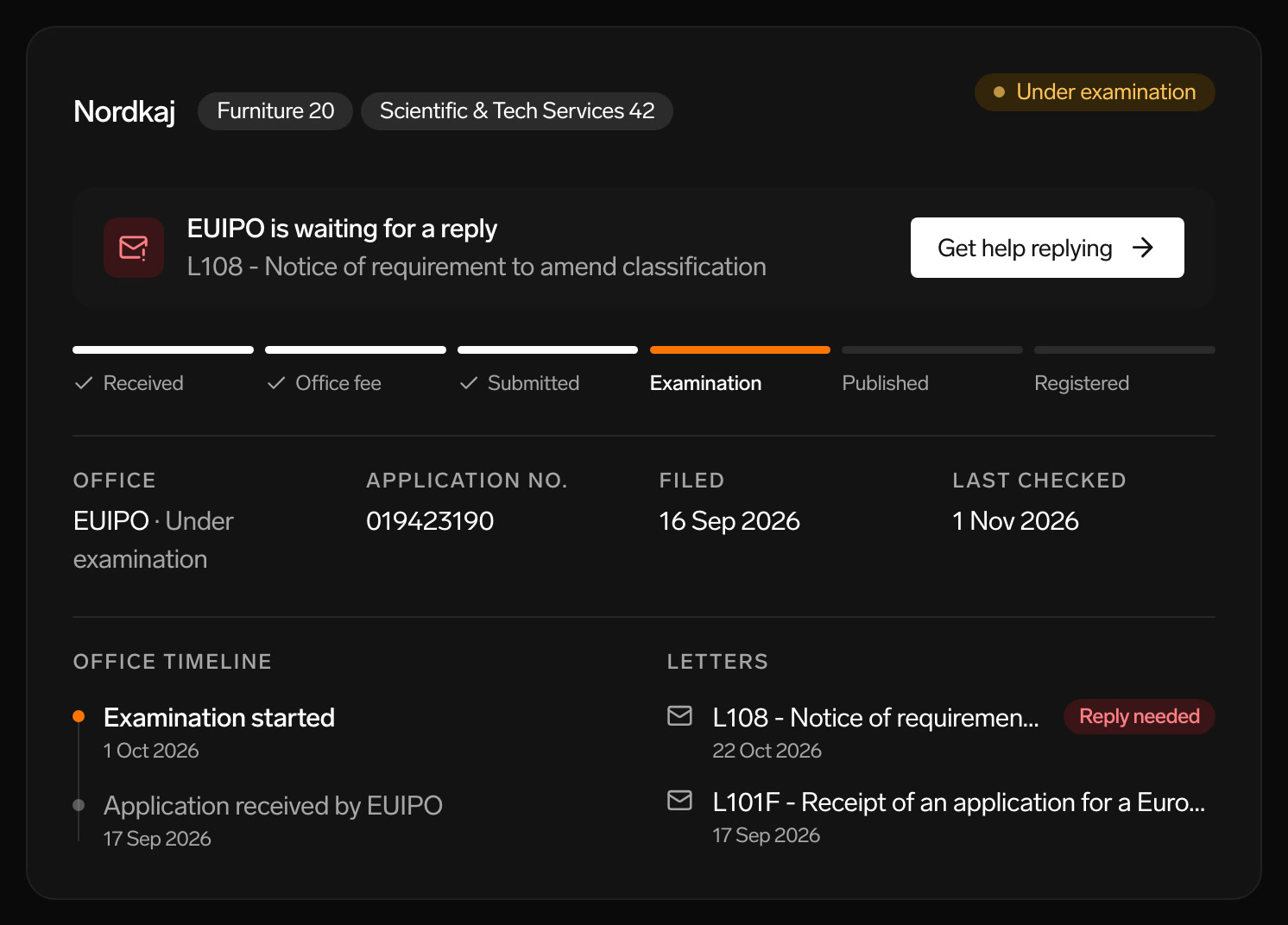
From the moment you file, Patentir follows your application with the office. You see where it stands, what happens next and when a letter needs your reply.
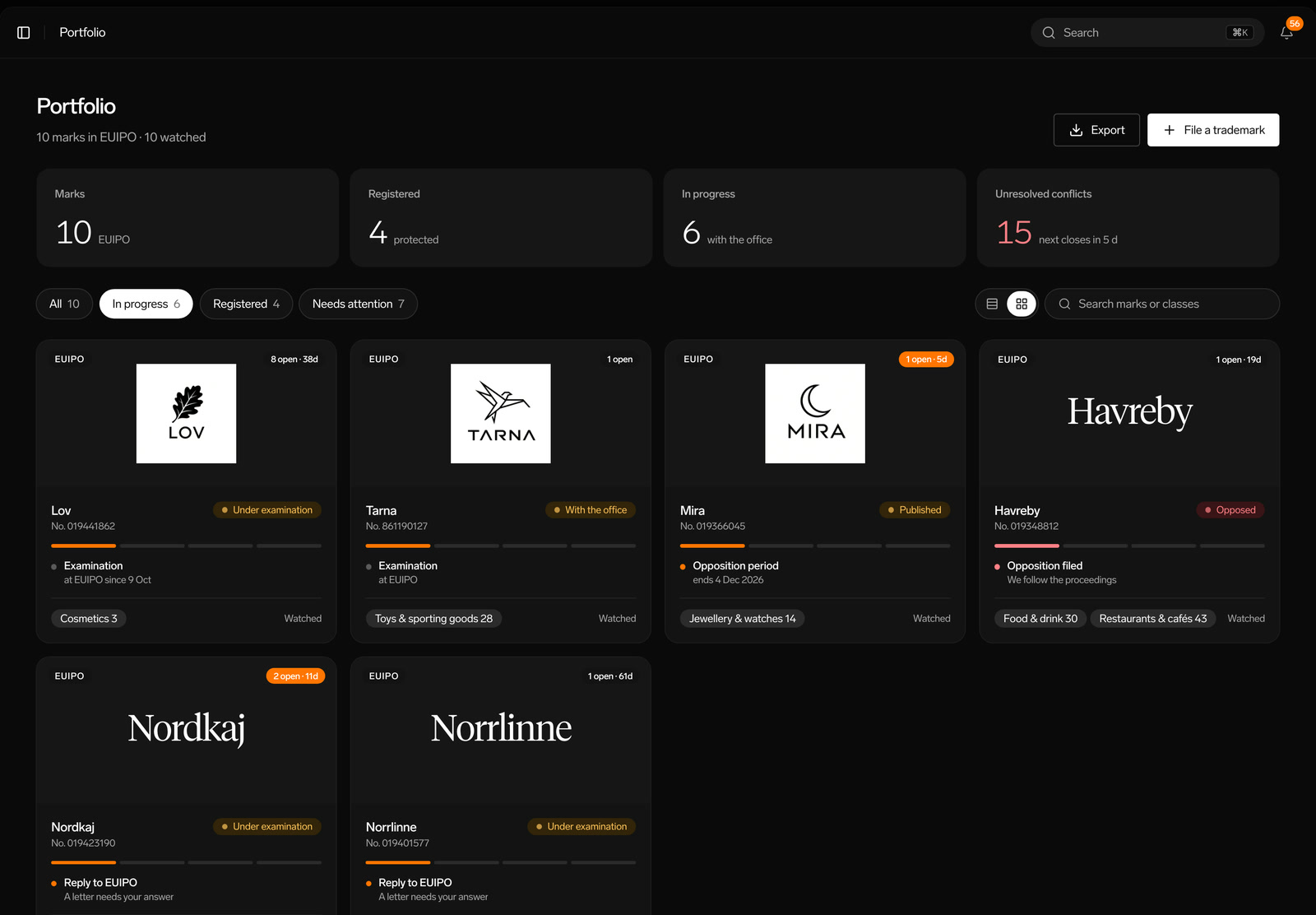
Portfolio
Every mark and application in one place
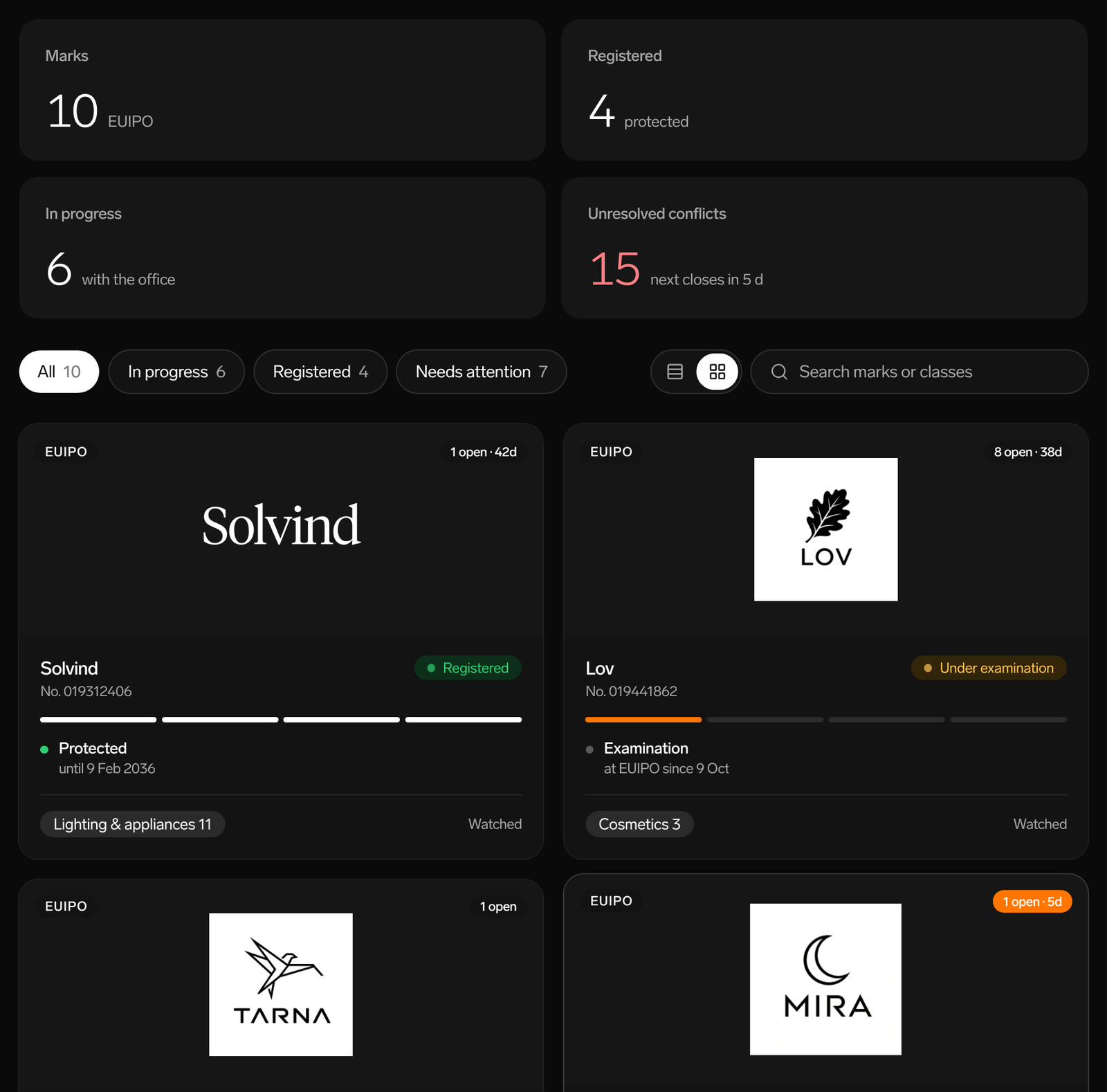
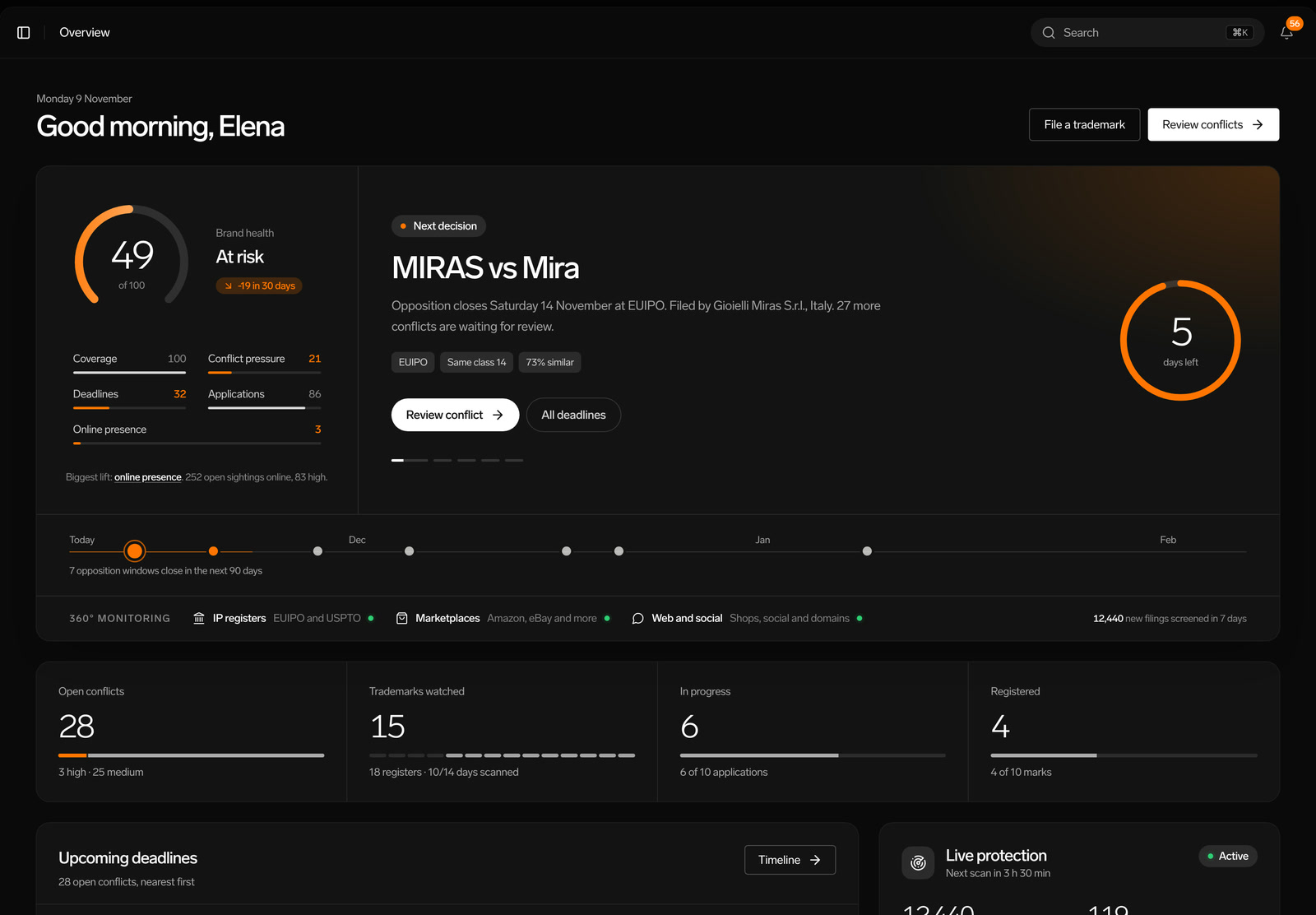
See how many marks you have, how many are registered, how many are in progress and how many conflicts are unresolved. Filter on what is in progress or needs attention.
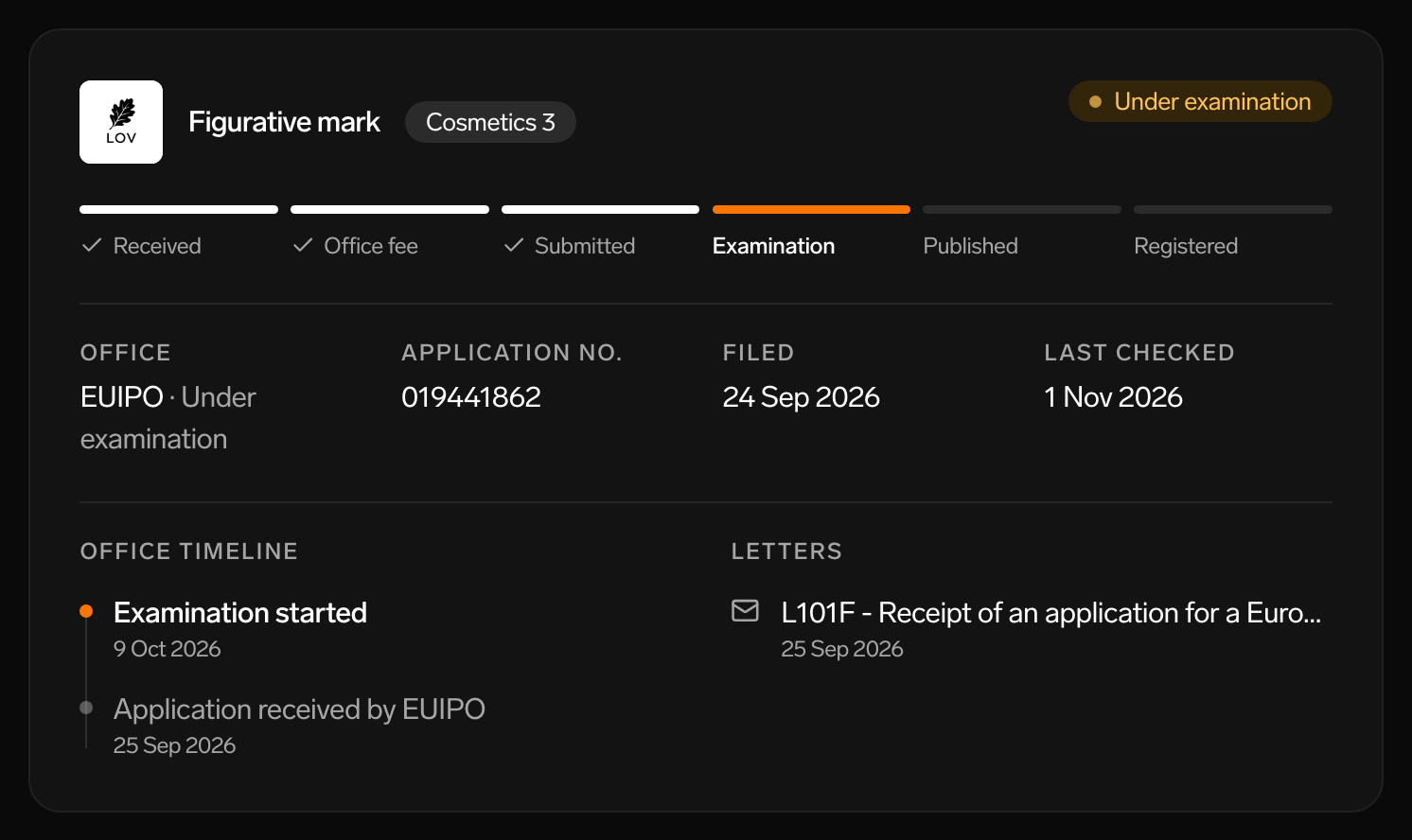
Stage
Know exactly where it stands
Each application shows its stage, from submitted to examination, publication and registration, with the office timeline and when it was last checked.
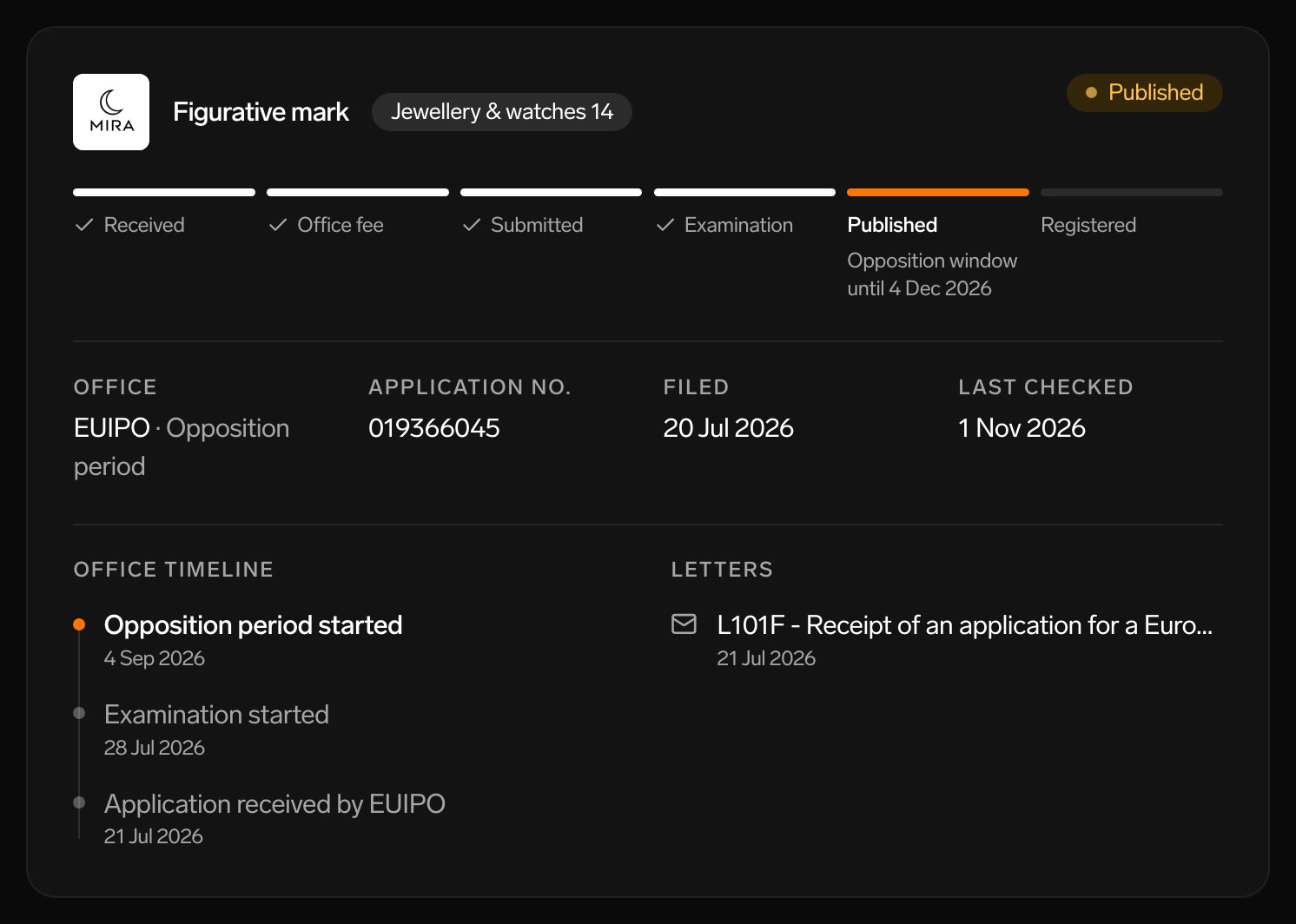
Opposition period
See when it is safe
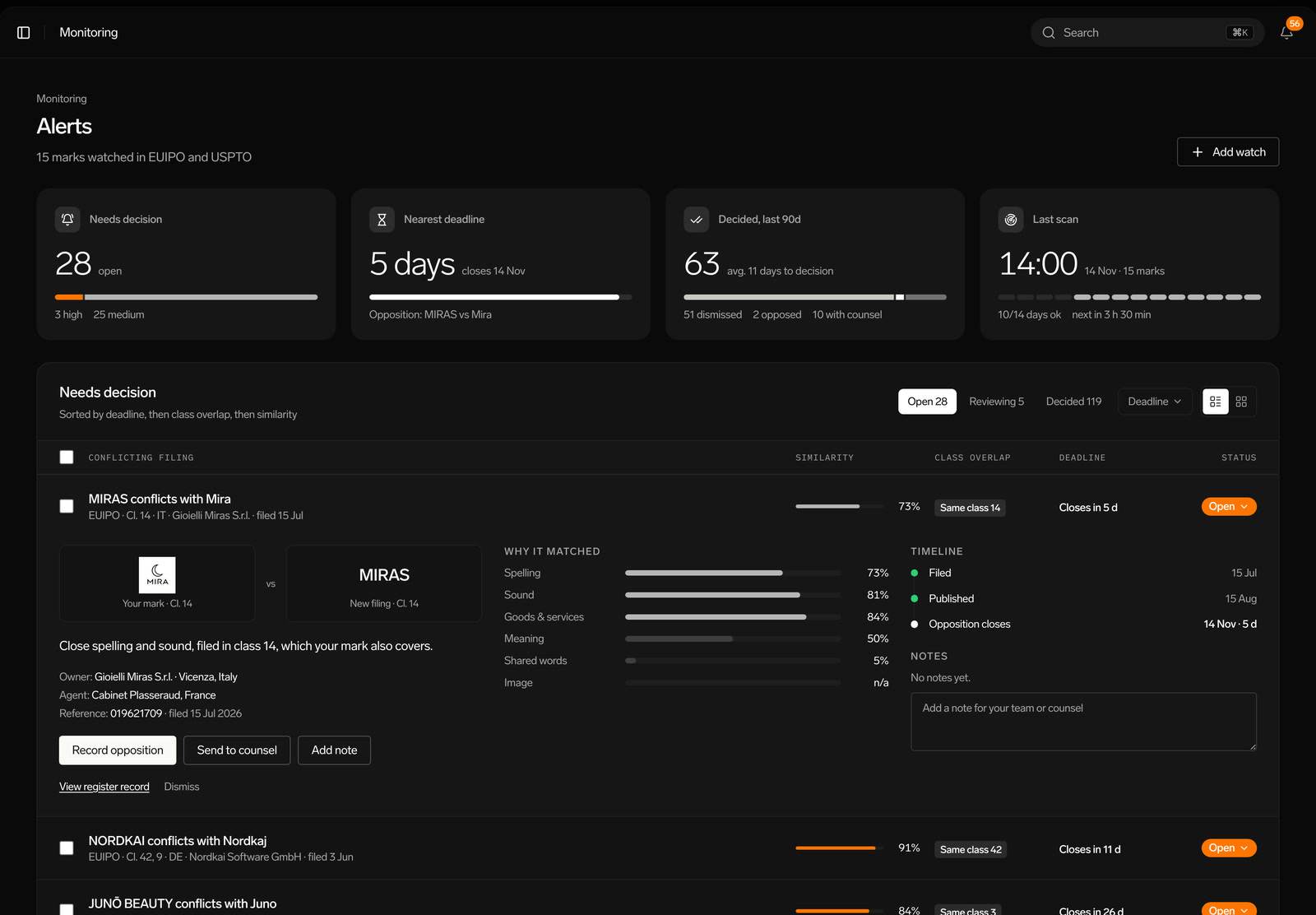
After publication, others can oppose your mark for a period. Patentir shows when that window closes and flags it if someone opposes.
Office letters
Never miss a letter from the office
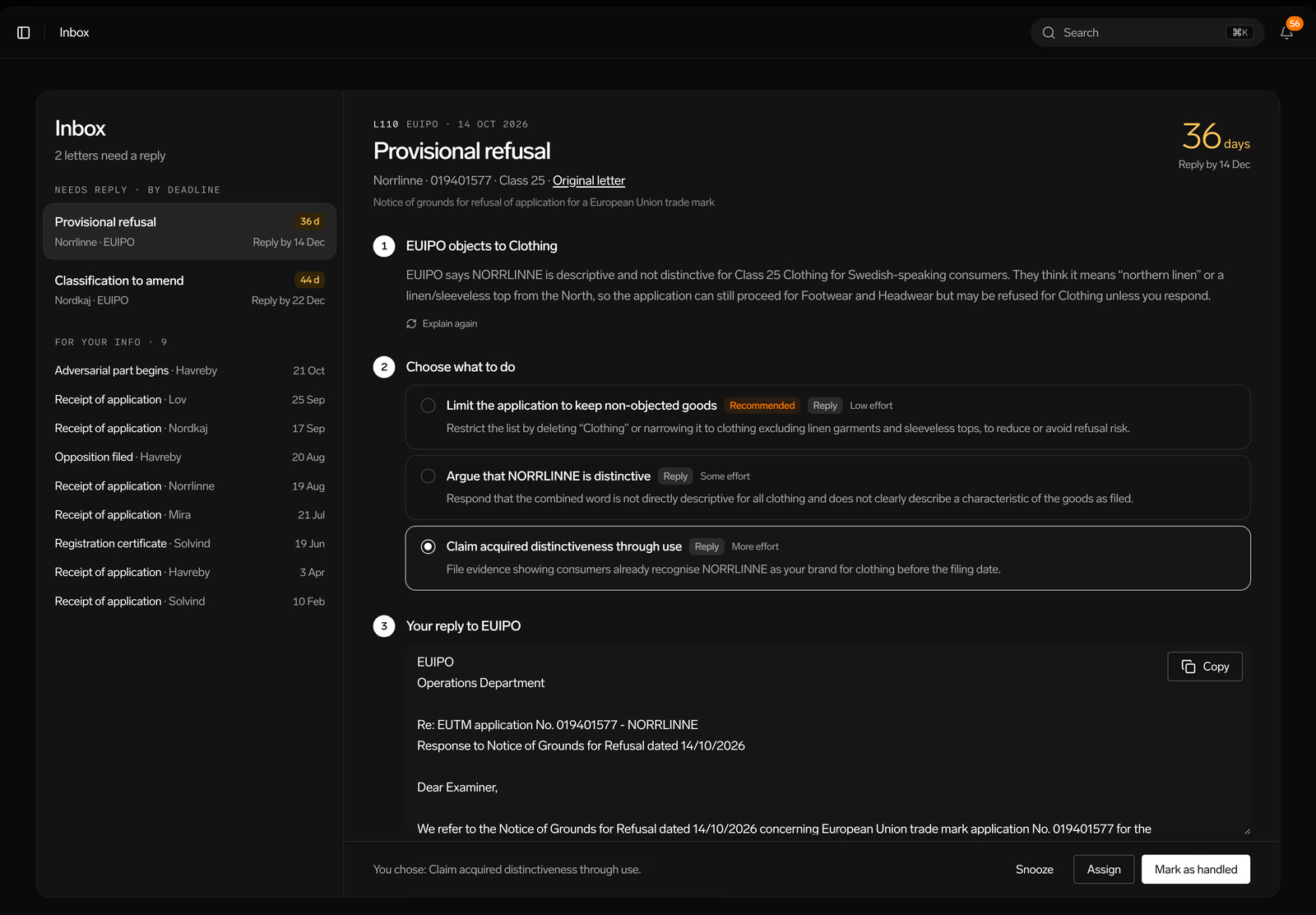
When the office sends a letter, it shows up on the application, marked if it needs a reply, with a shortcut to help in your inbox.
Built for the people who use it every day
EUIPO and USPTO
Applications at both offices are shown in the same view.
Registration forecast
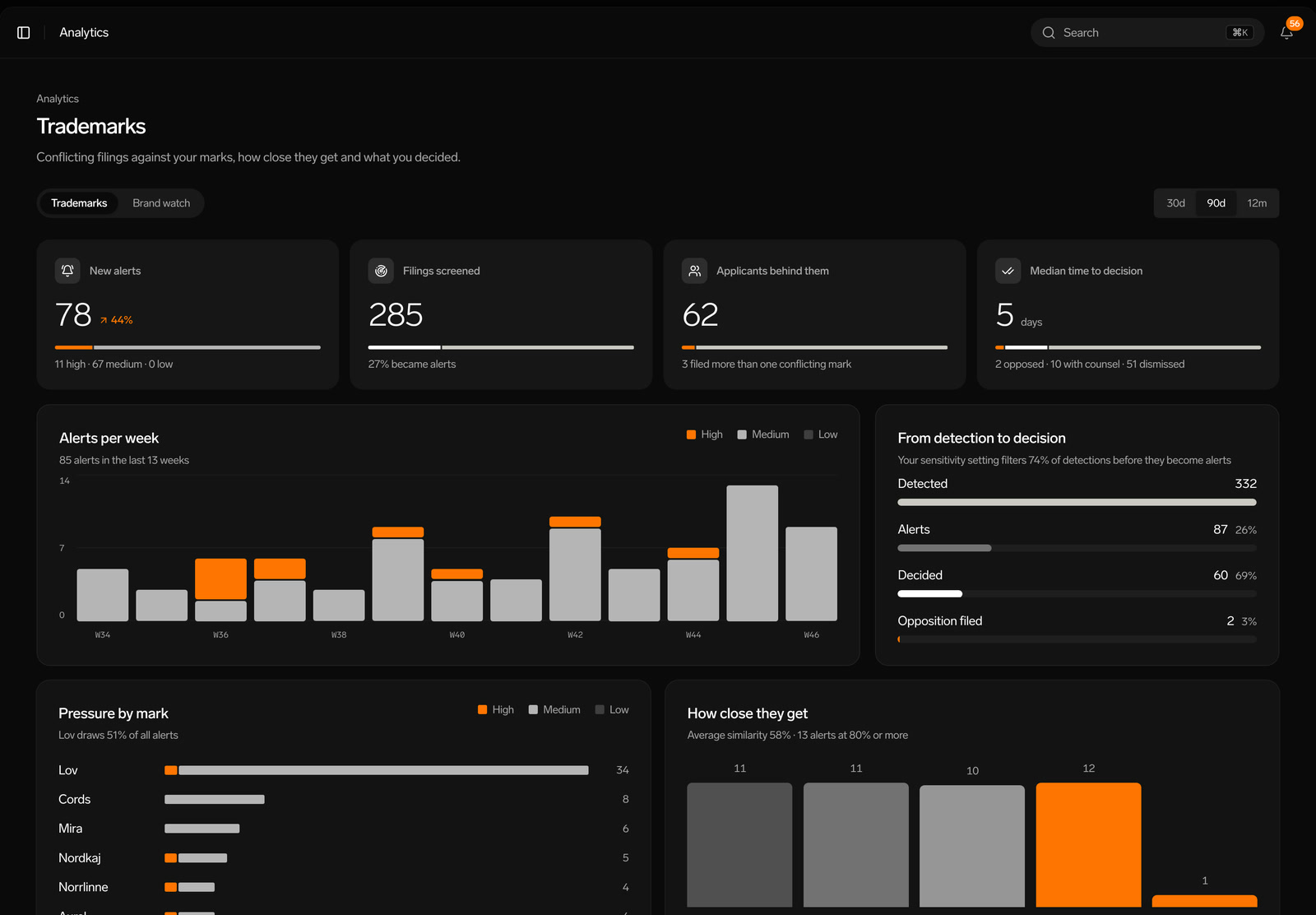
Every mark shows its forecast, based on similar marks in the register when you filed.
Class coverage
A class map shows which Nice classes your marks cover and where conflicts are open.
Export anytime
Download your marks, conflicts and classes to Excel.
From application to registration, step by step.
Get started - for freeMore of the platform
Questions and answers
How long does registration take?
It depends on the office and on whether anyone opposes. Patentir shows the current stage and what comes next, so you always know where you are.
What happens if the office sends a letter?
It appears on the application and in your inbox, explained in plain language with options to choose from and a drafted reply.
Do I need to check the office website?
No. Patentir checks the status for you and shows on every application when it was last checked.